
Fruiger Home invites players into a charming environment where cooperative house decorating meets playful customization, all set against the signature Frutiger Aero aesthetic. Beyond furniture and personal flair, the game offers hidden achievements that reward exploration and experimentation with your living space’s atmosphere.
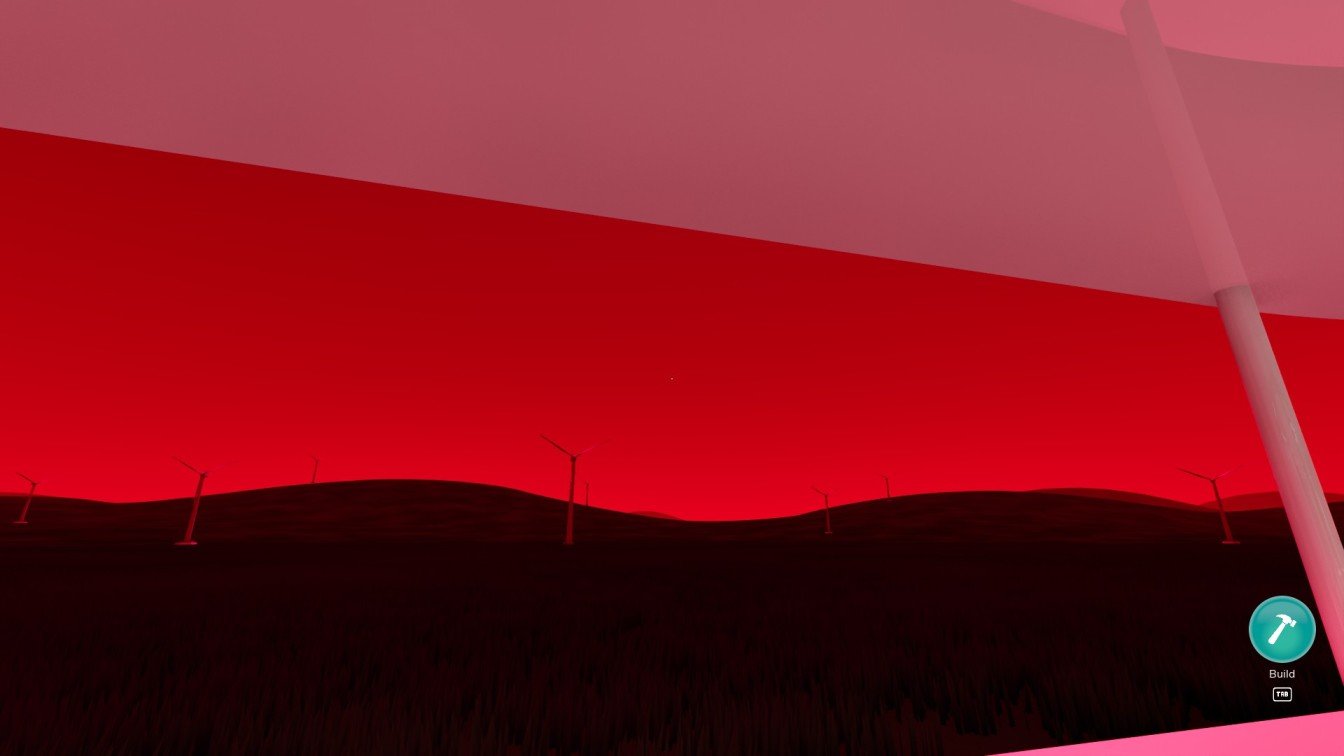
One such unlockable is the Fruiger Evil achievement, tied specifically to altering the ambience of your house’s skies. Changing the sky color to a striking red transforms the mood completely and triggers this achievement, making the task both quick and visually satisfying.
How to Unlock Fruiger Evil
Begin by exiting the entrance elevator, then immediately turn left. This direction leads you to the control panel for house settings.
Keep an eye out for a small interactive screen mounted on the wall. Approaching and interacting with it will bring up various customization options for your home’s environment.
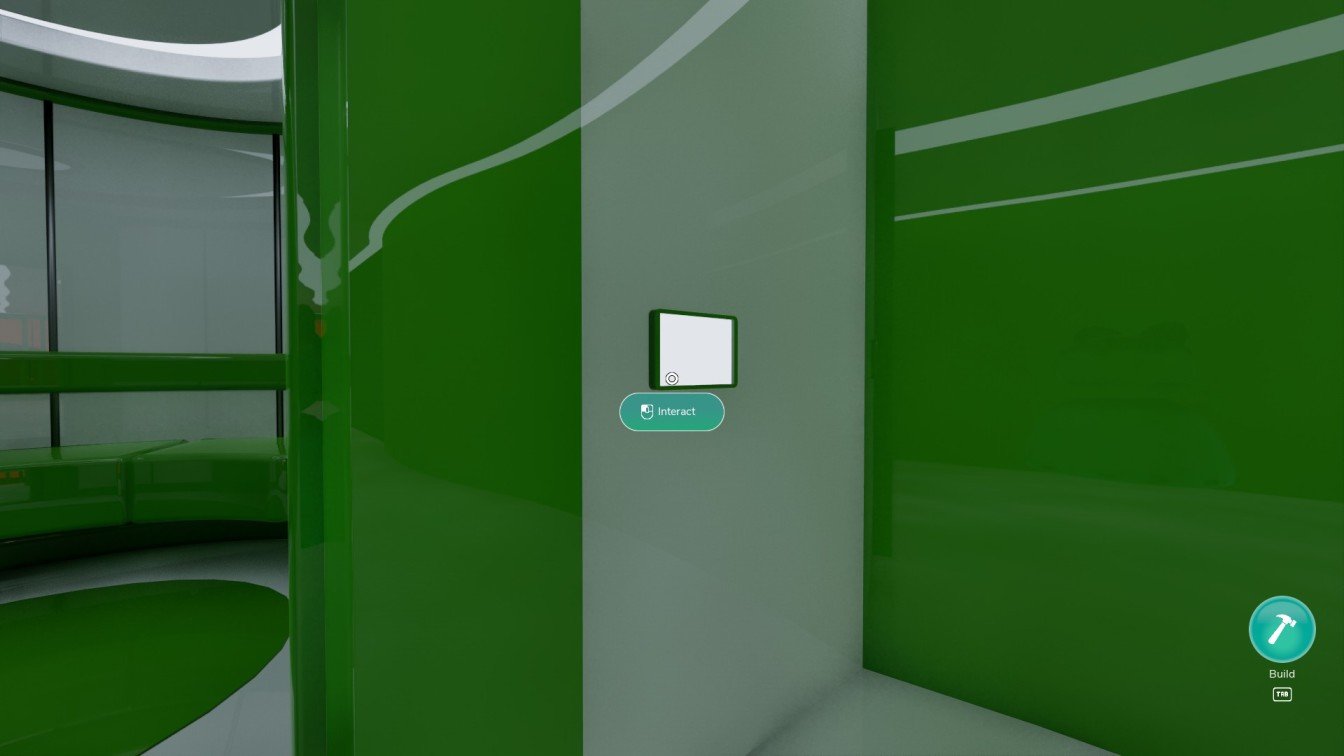
Within this settings menu, you can adjust multiple features, but to earn the achievement, focus on the sky color. This toggle allows you to cycle through a selection of atmospheric colors.
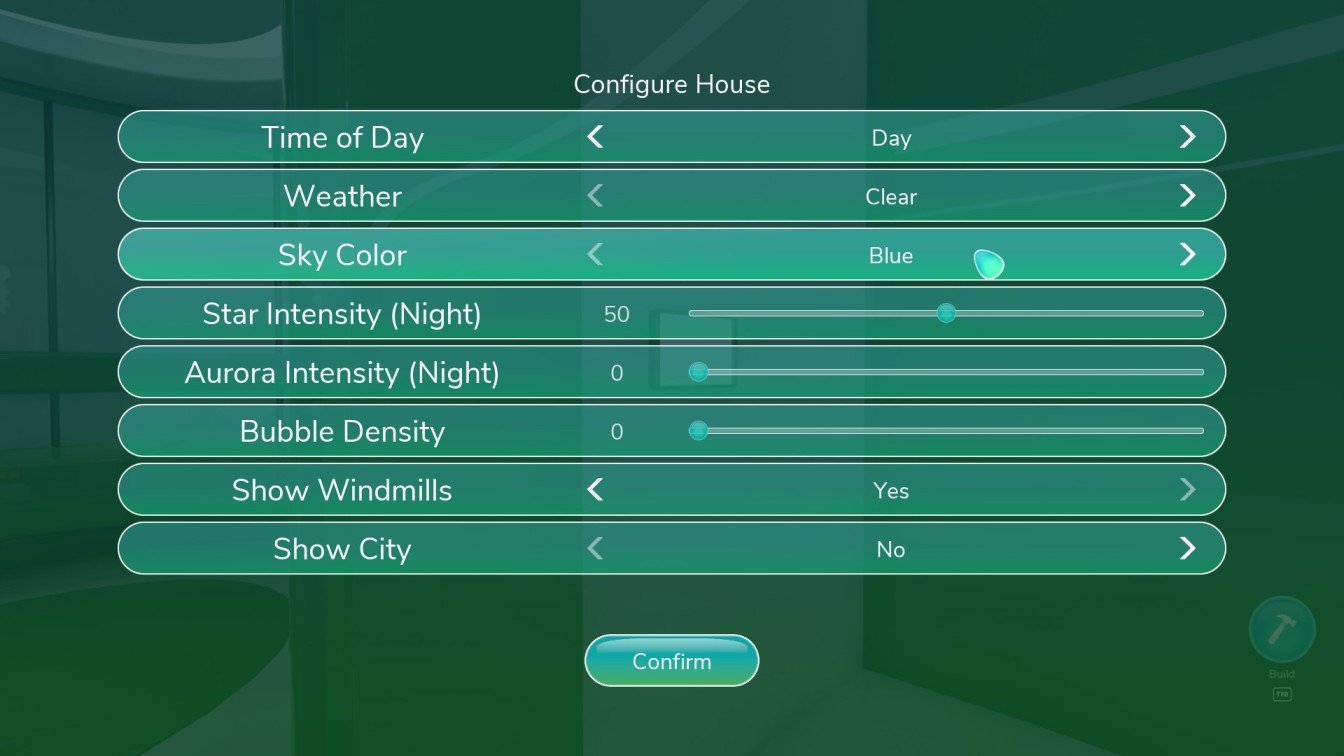
Use the arrow buttons flanking the sky color option to scroll through available colors until you reach the Red setting. This choice shifts your house’s mood to something more ominous and evocative.
Select the Red sky color and press Confirm. Watch as the sky instantly changes to a vivid red, signaling that you have successfully unlocked the Fruiger Evil achievement.